


Optimizing Server-Side Rendering (SSR) for Fullstack Frameworks
This guide shows how to optimize Server-Side Rendering (SSR) with oRPC in fullstack frameworks such as Next.js, Nuxt, and SvelteKit. The goal is to avoid unnecessary network calls while the server renders a page.
The Problem with Standard SSR Data Fetching
In many fullstack frameworks, SSR still fetches data by making an HTTP request from the server to its own API route.
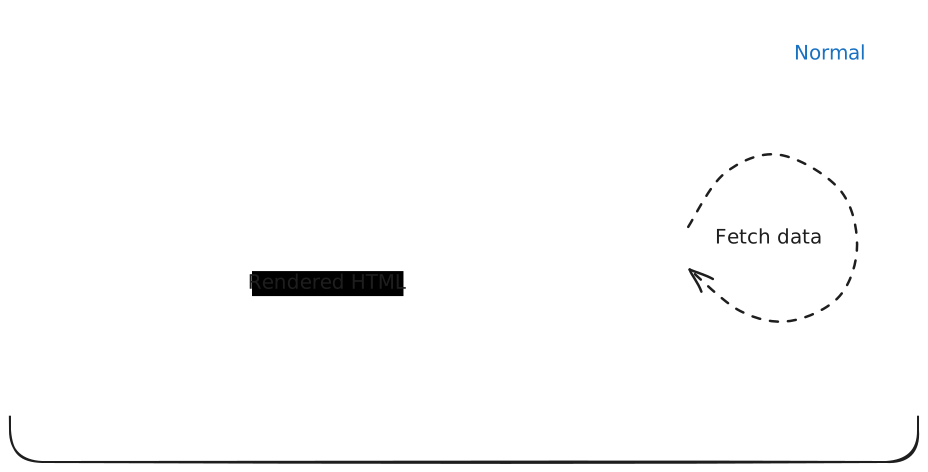
This works, but it adds avoidable overhead. The server has to go through the HTTP layer just to reach code that is already running in the same process. That extra hop can increase latency and waste resources.
Ideally, SSR should fetch data by calling the relevant API logic directly in the same process.

With Fetch API support, you can easily create an internal link that reaches your API logic without making a real network request. For even lower overhead, you can use the server-side client directly.
Conceptual approach
// During SSR, use an internal link
const orpc: RouterClient<typeof router> = createORPCClient(internalLink)

// In the browser, use a normal remote link
const orpc: RouterClient<typeof router> = createORPCClient(remoteLink)
But how? A naive typeof window === 'undefined' check works, but exposes your router logic to the client. We need a hack that ensures server‑only code never reaches the browser.
Implementation
We'll use globalThis to share an SSR client without bundling server-only code into the browser.
INFO
This setup is not limited to RPC Link or Next.js. You can use OpenAPI Link or a custom one, and the same pattern works in SvelteKit, Nuxt, and other fullstack frameworks.
import type { RouterClient } from '@orpc/server'
import { RPCLink } from '@orpc/client/fetch'
import { createORPCClient } from '@orpc/client'

declare global {
  var $client: RouterClient<typeof router> | undefined
}

const link = new RPCLink({
  origin: () => {
    if (typeof window === 'undefined') {
      throw new Error('This link is not allowed on the server side.')
    }

    return window.location.origin
  },
})

/**
 * Fall back to a browser client when no SSR client is registered.
 */
export const client: RouterClient<typeof router> = globalThis.$client ?? createORPCClient(link)import 'server-only'
import { createORPCClient } from '@orpc/client'
import { RPCLink } from '@orpc/client/fetch'
import type { RouterClient } from '@orpc/server'
import { headers } from 'next/headers'
const internalLink = new RPCLink({
origin: 'http://localhost',
fetch: async (url, init) => {
const request = new Request(url, init)
// Use a fetch handler here
const { response } = await handler.handle(request, {
context: { // provide initial context if needed
headers: await headers(),
},
})
return response ?? new Response('Not Found', { status: 404 })
},
})
globalThis.$client = createORPCClient(internalLink)Import lib/orpc.server.ts before other server code so the SSR client is registered early. In Next.js, add it to both instrumentation.ts and app/layout.tsx:
export async function register() {
  // Conditionally import if facing runtime compatibility issues
  // if (process.env.NEXT_RUNTIME === "nodejs") {
  await import('./lib/orpc.server')
  // }
}import '../lib/orpc.server' // for pre-rendering
// Rest of the codeWith this setup, importing client from lib/orpc.ts uses the internal-link client during SSR and the remote client in the browser.
Using Server-Side Client Directly
Alternatively, you can use the server-side client directly for SSR. This approach is more efficient and straightforward, as it eliminates serialization and deserialization overhead entirely.
INFO
Both a fetch-based internal link and the server-side client are valid strategies for optimizing SSR. The fetch-based approach offers greater flexibility and plugin compatibility, while the server-side client is more efficient and easier to set up. Choose whichever best fits your needs.
import 'server-only'

import { createRouterClient } from '@orpc/server'
import { headers } from 'next/headers'

globalThis.$client = createRouterClient(router, {
  /**
   * Provide initial context if needed.
   *
   * Because this client instance is shared across all requests,
   * only include context that's safe to reuse globally.
   * For per-request context, use middleware context or pass a function as the initial context.
   */
  context: async () => ({
    headers: await headers(), // provide headers if initial context required
  }),
})
Using the client
The client needs no special handling. Use it like any other oRPC client.
export default async function PlanetListPage() {
  const planets = await client.planet.list({ limit: 10 })

  return (
    <div>
      {planets.map(planet => (
        <div key={planet.id}>{planet.name}</div>
      ))}
    </div>
  )
}
INFO
These examples use Next.js, but the same pattern also works in SvelteKit, Nuxt, and other fullstack frameworks.